VS Code
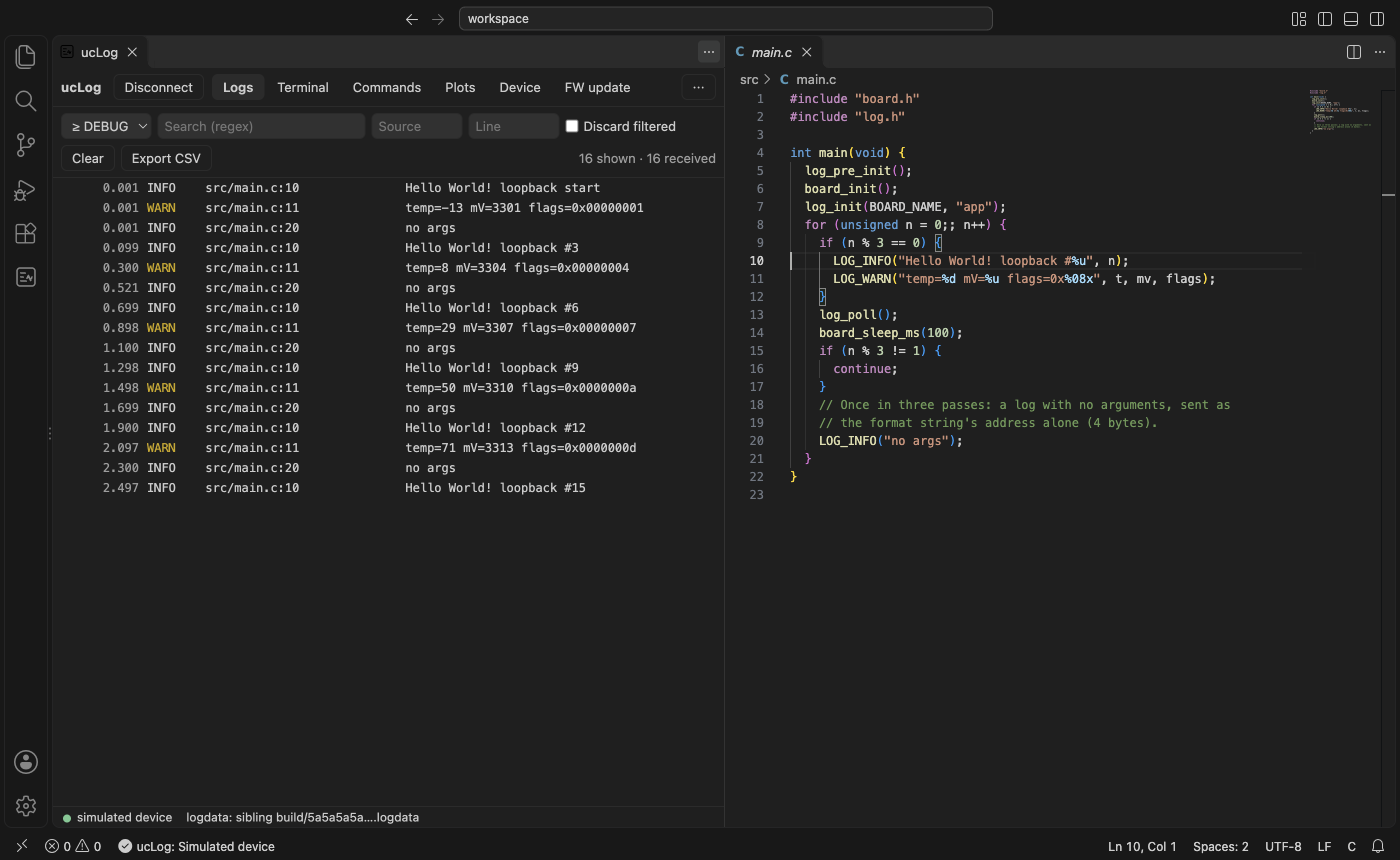
The ucLog extension shows the web app's logger in a VS Code panel, with the workspace around
it: logdata from your builds, a click from a log to the line that wrote it, firmware images from
the workspace. It brings its own uclog-hub for the USB and Bluetooth side.
Connecting
ucLog: Connect… (or the ucLog view in the activity bar) lists:
- USB devices: ST-LINK, FTDI and Zephyr serial ports, and Zephyr HID devices;
- hubs on this machine and on the network (mDNS), and the ones you used recently;
- Scan for Bluetooth devices…, Enter hub address…, and the simulated device.
A local device is opened by a private hub on 127.0.0.1, started for it. With
uclog.keepHubRunning (on by default) it keeps running after you disconnect, so the device's logs
keep buffering and appear when you reconnect. Connecting to another device stops it; all private
hubs stop when the window closes.
A remote hub is reached by address. Its operator may have to accept you first (waiting for hub approval), and a hub with a client already says hub busy. The status bar shows the device and its state.
The logger
- Logs, Terminal (port 61), Commands (port 0), Plots (port 60), Device and FW update, as in the web app.
- Click a log's
file:lineto open that line in the workspace. - ucLog: Open Device Terminal shows the terminal in a VS Code terminal as well
(
uclog.terminal.mode: pseudoterminalopens it on connect). - ucLog: Flash Firmware… offers the workspace's
*.signed.binfiles, newest first.
Logdata
In this order (Logdata):
- files loaded with ucLog: Load Logdata… (an ELF or a
.logdatafile); - the logdata cache shared with the other ucLog tools and filled by the device builds;
- the logdata service, when
uclog.logdata.domainis set (the token: ucLog: Set Logdata Token, kept in VS Code's secret storage); - the workspace: a
<app_hash>.logdatafile, or the ELF next to a*.signed.binwhose hash matches.
ucLog: Clear Logdata Cache empties the shared cache, after asking.
Files on the host (semihost)
The device may open and create files in uclog.semihost.root: by default uclog-files in the
first workspace folder, so a device cannot write to .git/ or .vscode/. Paths that leave the
folder are refused. The device's printf() output appears in the terminal.
Settings
| Setting | |
|---|---|
uclog.logdata.domain, uclog.logdata.url |
the logdata service |
uclog.semihost.root |
the semihost folder |
uclog.keepHubRunning |
keep private hubs after disconnecting (default on) |
uclog.baud |
the serial speed (1000000) |
uclog.usbFilters |
more USB serial adapters, as VID:PID |
uclog.hubPath |
a uclog-hub to use instead of the bundled one |
uclog.maxLogLines |
logs kept |
uclog.commands.buttons, uclog.terminal.buttons |
buttons ({"label", "cmd"}) |
uclog.terminal.onConnect |
lines sent to the terminal after connecting |
uclog.terminal.mode |
webview or pseudoterminal |
ucLog: Reset All Data clears what the extension remembers (history, colours, recent hubs) and its token. The shared logdata cache is kept.
Remote development
With Remote-SSH, WSL or a container, the extension runs on your own machine when it is installed
there (its preferred side), so the USB and Bluetooth devices it lists are the ones plugged into
your machine. A device attached to the remote machine is reached through a hub there: run
uclog hub -d auto on it, and connect to its address.