The hosts
Every host reads the same device, the same logdata and the same wire protocol; pick the one that
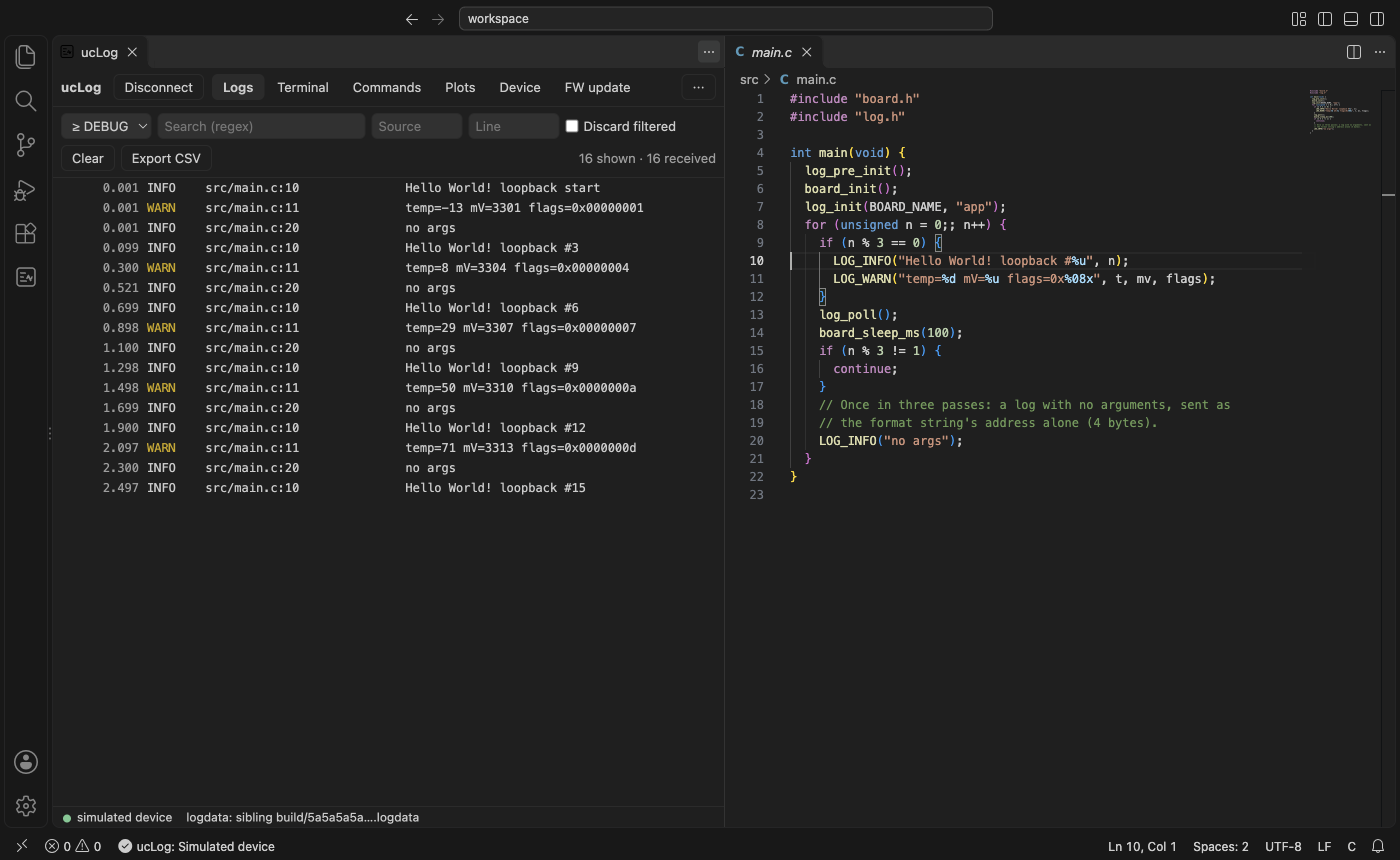
fits where you work. These screenshots are made by the hosts' own tests, against the simulated
device (build.py screenshots).
| Host | For | Guide |
|---|---|---|
| Web app | nothing to install; Chrome or Edge | Web app |
| VS Code | logs next to the code: click a log to open its line | VS Code |
uclog gui, uclog tui, uclog term |
a native window, a terminal UI (also over SSH), a plain terminal; scripts and pipes | uclog |
uclog hub |
one device shared with a client anywhere on the network, and kept logging while no one is connected | The hub |
| Python | tests and scripts | Python |
Connecting
Each host lists the devices it can open (Connect…, uclog list) and the hubs it finds. On the
command line, and in the hosts' address fields, a device is one of:
| Address | |
|---|---|
auto |
the one local USB device (ST-LINK, FTDI or Zephyr serial port, or Zephyr HID); an error if there are none or several |
serial:/dev/ttyACM0, serial:COM3 |
a serial port (--baud, default 1000000) |
hid:SERIAL or hid:PATH |
a USB HID device |
ble:NAME or ble:ADDRESS |
a Bluetooth LE device advertising the ucLog service |
udp://HOST:PORT |
a device on the network |
tcp://HOST[:9000], ws://HOST[:9000], wss://… |
a hub |
loopback: |
the simulated device (loopback:rate=20 for 20 logs/s) |
A hub serves one client at a time: while one is connected, the others are told hub busy. A hub on another machine may ask its operator before it lets you in (waiting for hub approval). See Security.
Web app
uclog.unitcircle.ca/app/: logs, a terminal, commands, plots, device information and firmware updates, in Chrome or Edge.


VS Code
The same app in a VS Code panel: the logdata comes from the workspace's build, and clicking a log opens the source line that wrote it.
uclog gui
A native window (egui), for when there is no browser or VS Code.


uclog tui
The terminal UI, also over SSH.
